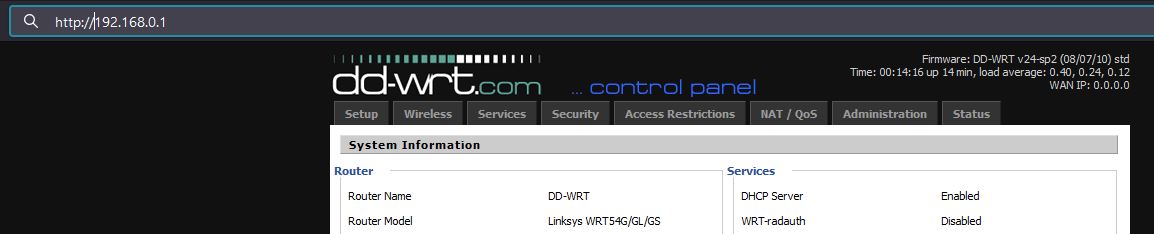
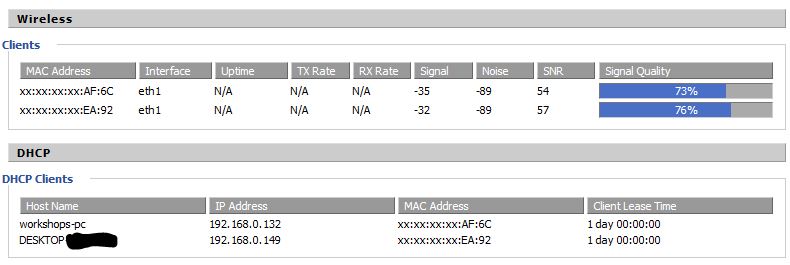
Detect: To identify intrusions on your network, simply go to your router's web page and check the connected devices.
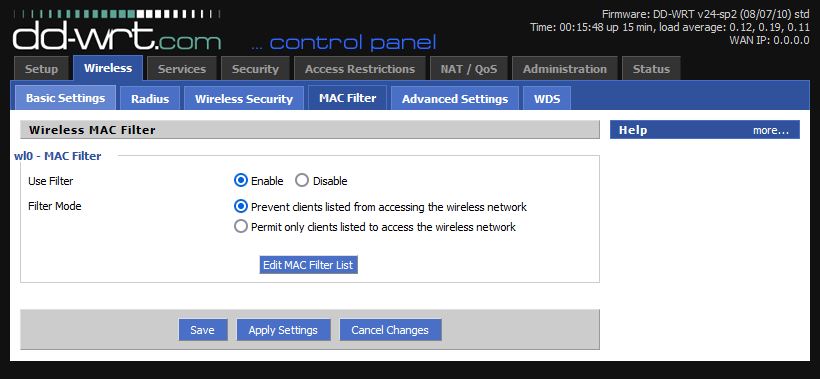
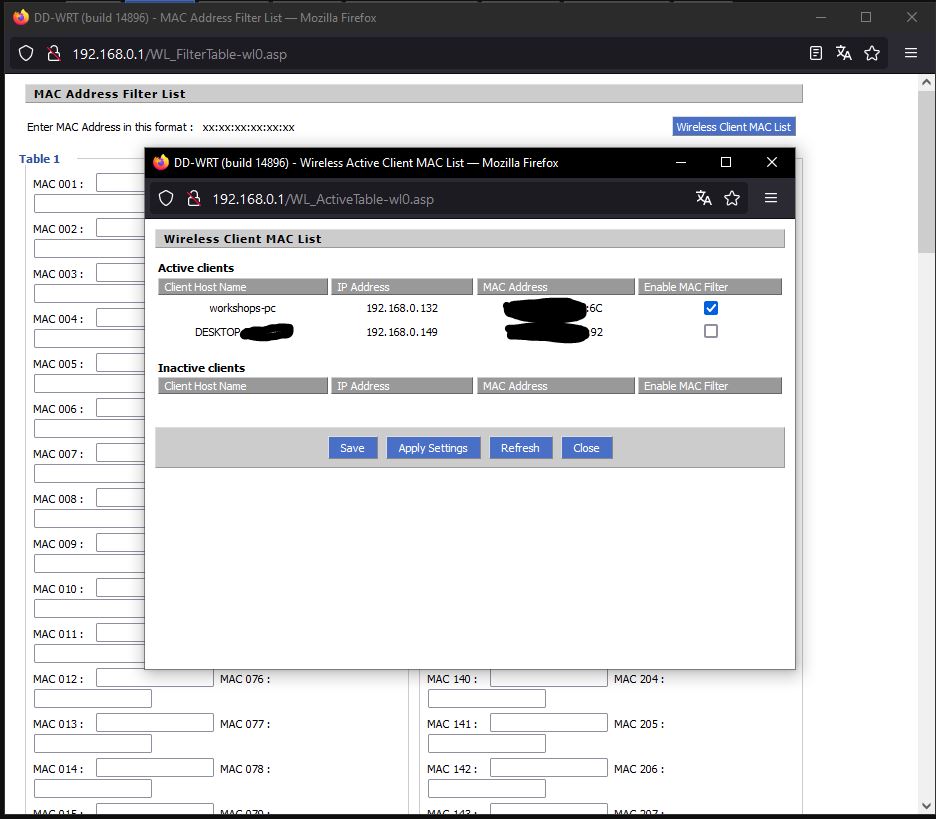
Evict: Once you have detected an imposter, you can block its MAC address.
You can also white list your MAC addresses.
Or you can hide your Wi-Fi to be less exposed.
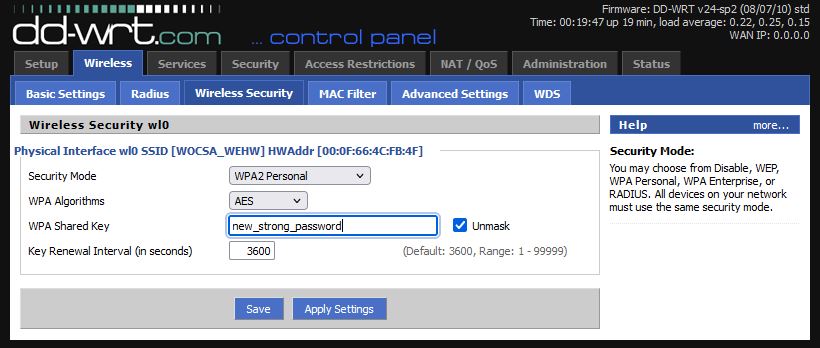
Harden: Now, strengthen your password and reconnect all your devices.
Comments

11
 CyberNinjaX: Yo, what's the deal with this Wi-Fi defense tutorial you dropped?
 neptune1212: Oh, hey! Just trying to spread some knowledge on securing networks. You know, keeping things safe.
CyberNinjaX: Yeah, well, you're killing the vibe for us "enthusiastic explorers" out there. We rely on those vulnerabilities for our... uh... research.
neptune1212: Research, huh? More like poking around where you shouldn't be. I'm all about helping people stay protected.
CyberNinjaX: Come on, man, you're cramping our style. We're just trying to have a little fun.
neptune1212: Fun at the expense of others' security? Not cool. Plus, there are legal ways to test networks for weaknesses.
CyberNinjaX: Legal ways are slow and boring, though. We need that rush, you know?
neptune1212: I get it, but there are consequences to what you're doing. It's not worth the risk.
CyberNinjaX: Fine, whatever. Just don't expect us to stop looking for loopholes. Your tutorials won't stop us.
neptune1212: I'm not expecting miracles, but if I can help even a few people protect themselves, it's worth it.
CyberNinjaX: Suit yourself, man. But don't be surprised if we find a way around your defenses thanks to new 0 days.
neptune1212: Oh, hey! Just trying to spread some knowledge on securing networks. You know, keeping things safe.
CyberNinjaX: Yeah, well, you're killing the vibe for us "enthusiastic explorers" out there. We rely on those vulnerabilities for our... uh... research.
neptune1212: Research, huh? More like poking around where you shouldn't be. I'm all about helping people stay protected.
CyberNinjaX: Come on, man, you're cramping our style. We're just trying to have a little fun.
neptune1212: Fun at the expense of others' security? Not cool. Plus, there are legal ways to test networks for weaknesses.
CyberNinjaX: Legal ways are slow and boring, though. We need that rush, you know?
neptune1212: I get it, but there are consequences to what you're doing. It's not worth the risk.
CyberNinjaX: Fine, whatever. Just don't expect us to stop looking for loopholes. Your tutorials won't stop us.
neptune1212: I'm not expecting miracles, but if I can help even a few people protect themselves, it's worth it.
CyberNinjaX: Suit yourself, man. But don't be surprised if we find a way around your defenses thanks to new 0 days.
Please log in to add comments.